How to Remove Forgotten Password from PST File?
Jackson Strong | November 15th, 2025 | Data Backup
Microsoft Outlook allows users to protect their PST files with a password to keep emails, contacts, and other mailbox data secure. However, many users forget their PST password after a while, especially when the file is old. It can completely lock them out of their PST file and not allow them to view data stored inside the PST file. If you are stuck with a password-protected PST file and don’t remember the password, do not worry, this post will help you. Here, we are going to discuss two different ways to remove forgotten password from PST file. So, read this post till the end and remove Outlook PST password easily.
Let’s start the process without any further delay!
How to Remove Password from PST File Free?
If you still remember the current password but want to remove it:
1. Open Microsoft Outlook.
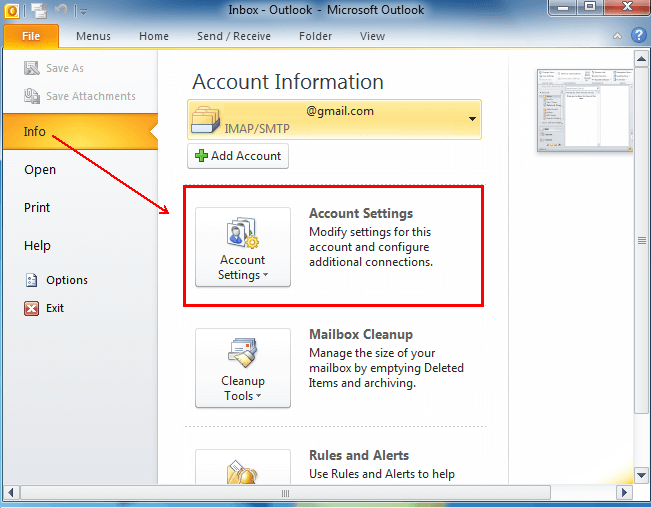
2. Click on File > Account Settings > Account Settings.
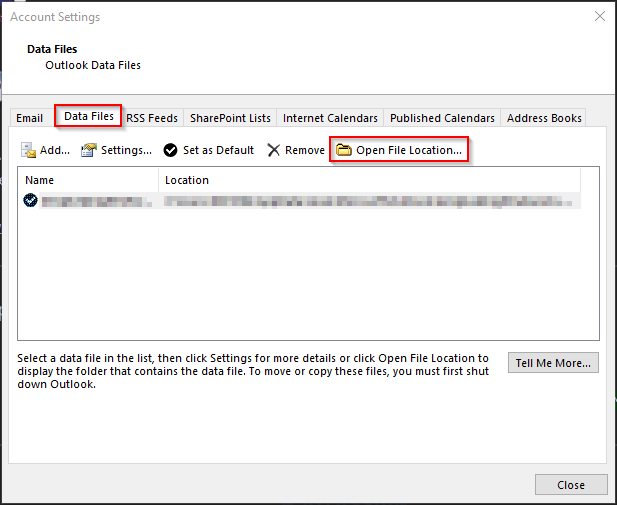
3. Navigate to the Data Files tab, select your PST file and click Settings.
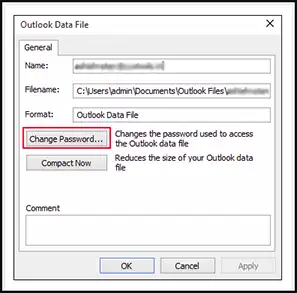
4. In the “Change Password” window, enter the current password.
5. Leave the “New Password” and “Verify Password” fields blank.
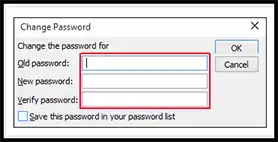
6. Click OK to remove the password.
Limitations of Manual Approach
- MS Outlook must be installed to unlock PST file.
- You must remember the old password. If you forgot your old password, then this approach cannot help.
- With this method, you can remove password from one PST file at a time.
If you don’t remember your password, move on to the next method.
How to Remove Forgotten Password from PST File Automatically?
Since Outlook doesn’t provide an official way to recover lost PST passwords, you can use the Advik PST Password Recovery Tool to remove the forgotten password. It allows you to unlock encrypted or password-protected PST files without any data loss. This advanced tool allows you to remove passwords from protected or encrypted PST files without any data loss. Whether your PST file is from Outlook 2021, 2019, 2016, or earlier versions.
Simply add your locked PST file, Select the new saving option, and convert the same into new healthy PST file without a password. After that, you can access it again in Microsoft Outlook. No need for complex commands or manual methods—just a fast, secure, and automated way to recover your important emails.
Download the free demo version of this Outlook PST password recovery tool to unlock your PST file.


Steps to Unlock Password-Protected PST File
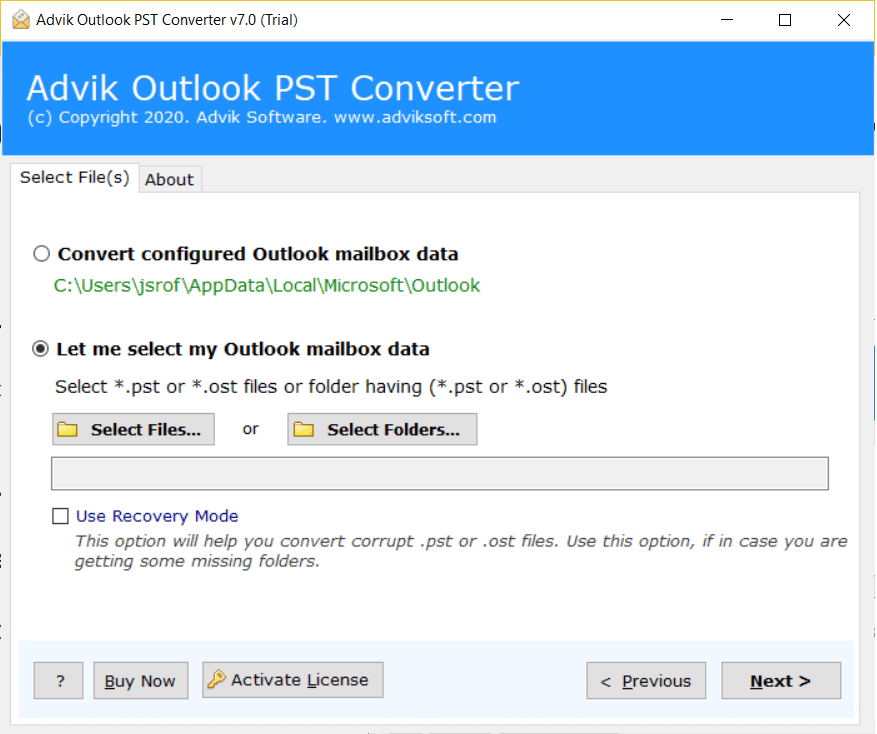
- Launch the software and click add password protected PST files.
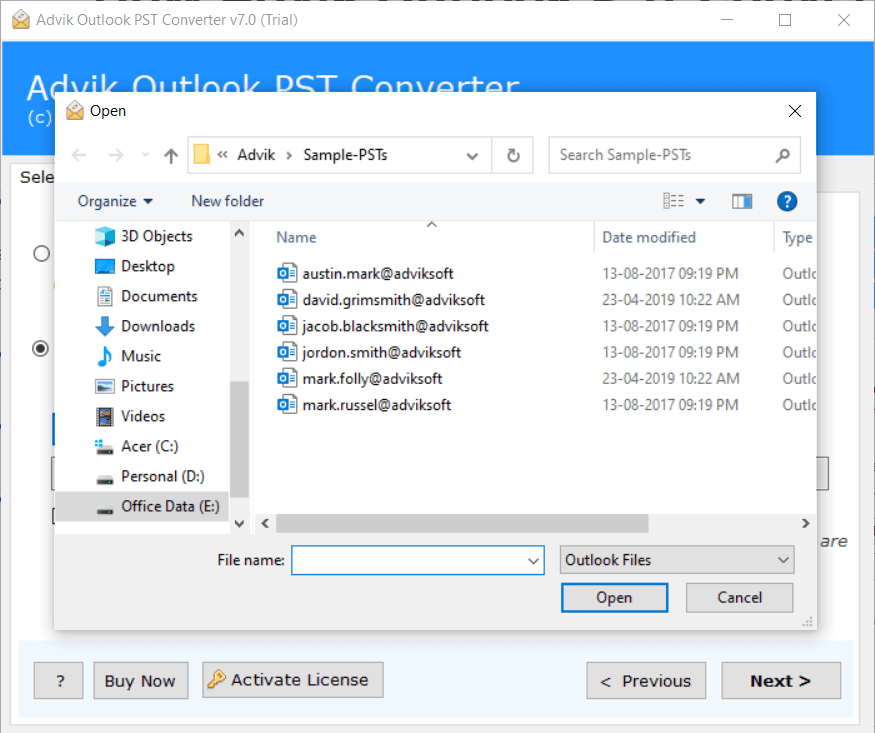
- Browse and add encrypted PST files into the software.
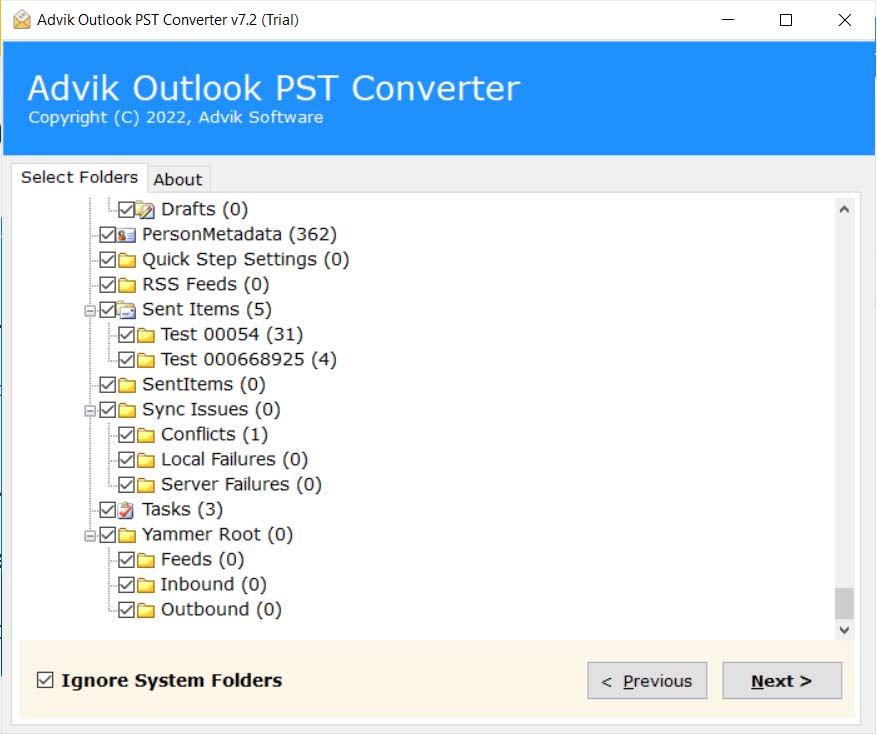
- Software will display all your PST data, now click the Next button.
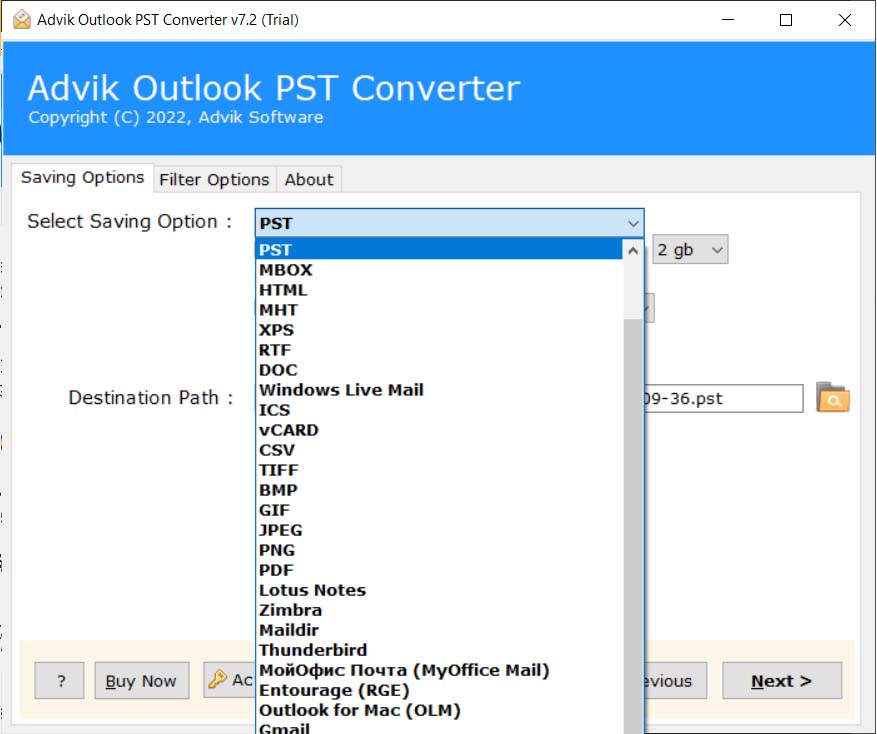
- Choose PST as saving option from the list.
- Click Convert button to start the conversion process.
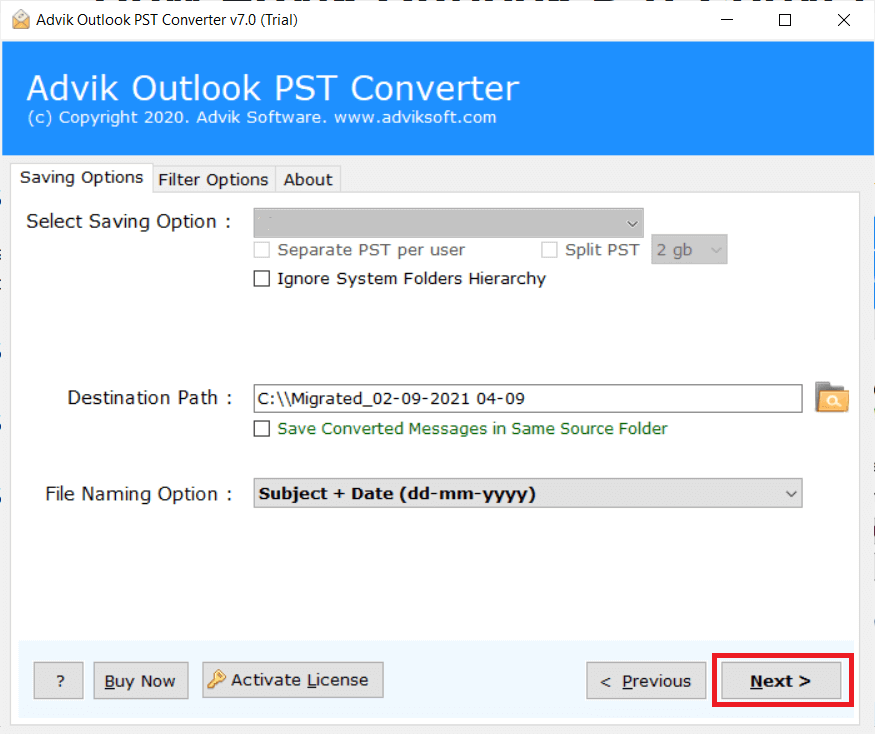
Finished! The software will generate a new PST file and remove forgotten password from it. Now, you can open or import it in Outlook without a password.
Setting Security for PST Files
Now that you know how to remove a PST password, you might also want to set up additional security measures.
There are multiple ways to protect your PST files from unauthorized access:
- Use Strong Passwords: If reapplying a password, choose a strong and unique one.
- Enable Two-Factor Authentication: Use Microsoft 365 security settings for extra protection.
- Use File-Level Encryption: Secure your PST file using Windows BitLocker or third-party encryption tools.
- Backup PST Files Regularly: Always keep a backup to prevent data loss.
If password protection no longer fits your needs, Advik PST Password Remover provides the safest and fastest way to remove PST passwords without any risk of data corruption.
Summary
The above tutorial is for educational purposes and we should take any responsibility for illegal purposes. The software is specially made for users who have no choice to access password-protected PST file. It can be beneficiary for these types of users who want to remove forgotten password from PST file. Software is very simple and 100% safe and workable utility to unencrypt PST file.
Frequently Asked Questions
Q 1. Can I remove PST file password without Outlook?
Ans. Yes, with Advik PST Password Recovery Tool, you can unlock PST files without Outlook.
Q 2. How to remove Outlook PST password if forgotten?
Ans. Outlook doesn’t offer any built-in option to remove forgotten opassword from PST file. To do it you need to use a professional tool like Advik PST Password Remover that quickly unlock PST file without any data loss.
Q 3. Is it legal to remove password from PST file?
Ans. Yes, as long as the file belongs to you or you have permission to access it.
Q 4. Does Microsoft provide a tool to remove forgotten password from PST file?
Ans. No, Microsoft does not offer any official tool for resetting or removing forgotton PST file password.