How to Transfer Emails from TalkTalk to Gmail?
Jackson Strong | November 16th, 2025 | Email Migration
Do you need to add TalkTalk email to Gmail but do not know how to do it? If yes, then relax, here you will get the proper answer to your request. In this blog, we will share the best and effective methods to transfer emails from TalkTalk Mail to Gmail. So, keep reading to know more.
TalkTalk is a UK-based broadband and telecom provider that also offers email services to its users. It provides basic email functionality but with limited storage and fewer modern features. That’s why many users want to transfer TalkTalk emails to Gmail for better performance and reliability. Gmail offers advanced security, large storage, smart search, spam protection, and seamless integration with Google services.
In the tutorial below, I will be sharing two easy methods for TalkTalk to Gmail migration. You can choose either a manual or an automation solution as per your convenience.
Let’s get started without any further delay!
How to Add TalkTalk Email to Gmail for Free?
Follow the given steps to manually forward TalkTalk email to Gmail:
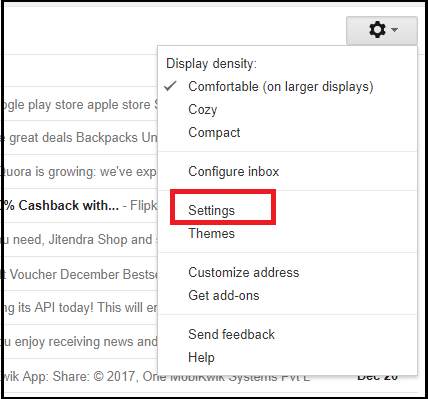
Step 1. Log in to your Gmail account and go to settings.
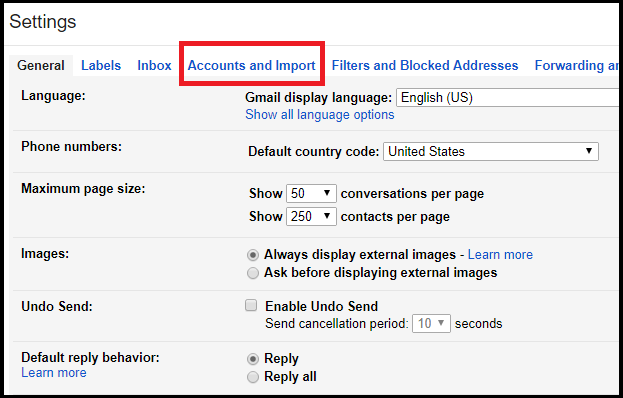
Step 2. Click Accounts and Import option from the menu.
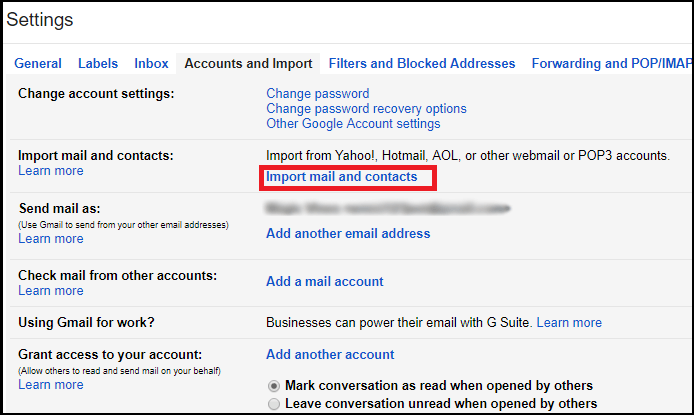
Step 3. Click Import Mail and Contacts option.
Step 4. A pop-up window will appear, and you have to enter your Talktalk account address.
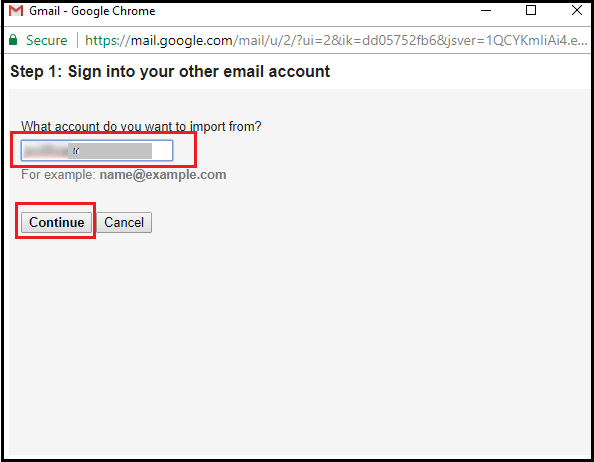
Step 5. Enter your TalkTalk login credentials and IMAP settings.
Step 6. Click the Import button to start importing emails from TalkTalk mail.
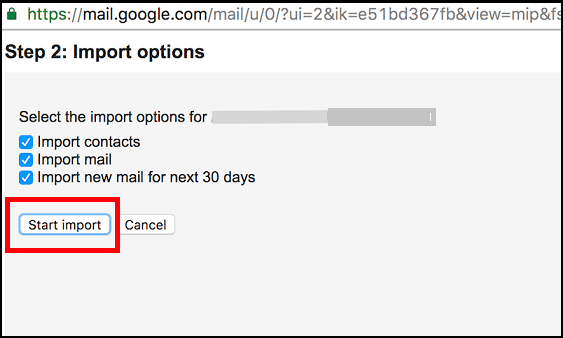
That’s all you have to do for the manual trick. This is how you can import TalkTalk emails to Gmail account.
Limitations
- There is no Email Filter Option
- No Mailbox Folder Selection Option
- May Take up to 3 Days for complete migration.
How to Transfer Emails from TalkTalk to Gmail Securely?
If you failed to forward emails from TalkTalk to Gmail using the manual method, then don’t worry. You can easily use the alternate solution to accomplish this task.
Advik Email Migration Tool is a professional solution that helps you to effortlessly migrate TalkTalk Mail to Gmail. It is completely easy to use the utility and only takes a few minutes to complete this job. Also, the software does not corrupt, lose, or modify any individual data information during the entire process. It only requires the login credentials of both TalkTalk and Gmail accounts for the migration.
IMAP Settings from TalkTalk Mail
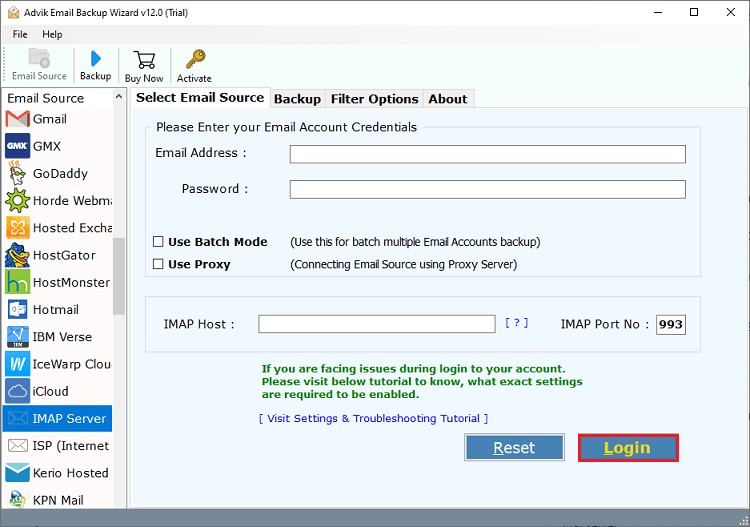
- IMAP Host as mail.talktalk.net
- IMAP Port No. to 993


Steps to Migrate TalkTalk Mail to Gmail
1. Run Advik Email Backup Wizard on your PC.
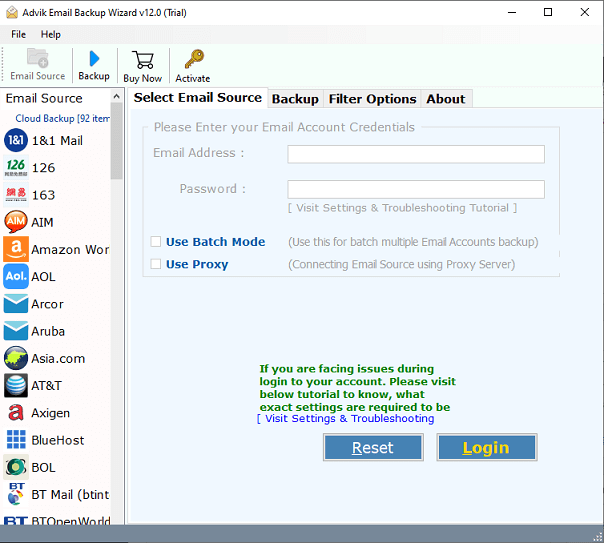
2. Now, Choose IMAP Server and enter your TalkTalk Mail login credentials.
3. Select mailbox folders for migration.
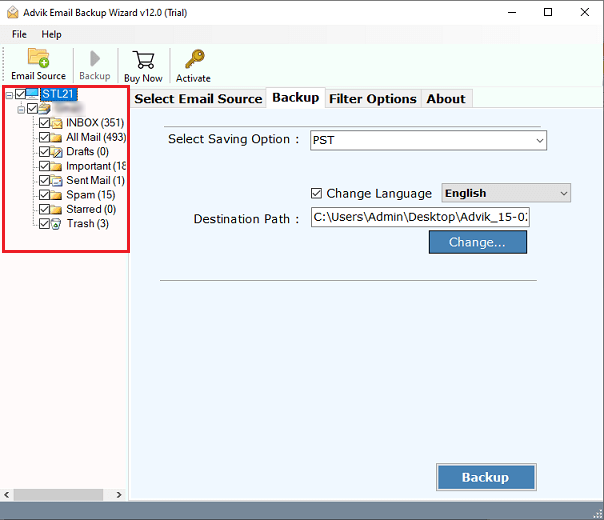
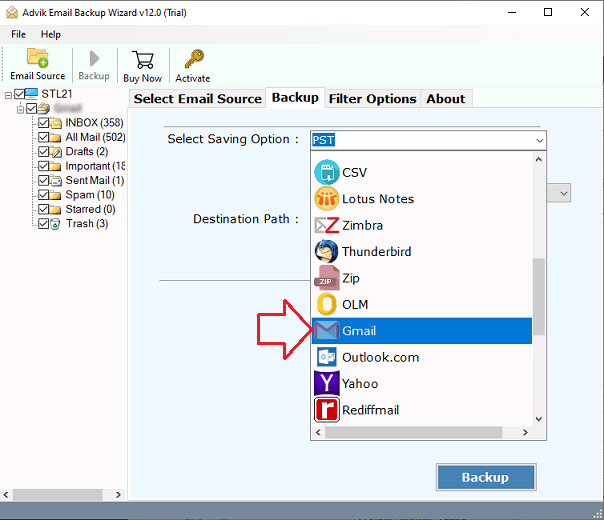
4. Choose Gmail as a saving option from the list.
5. Enter your Gmail login credentials and click Backup.
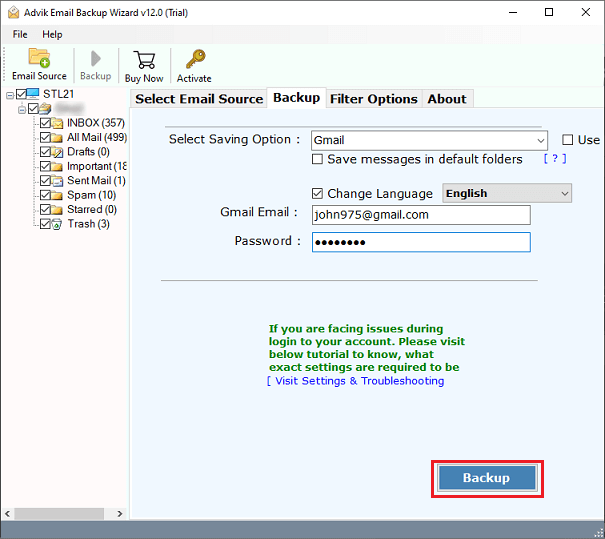
Note: Apply email filters if required. (Optional)
Done! This way, you can transfer emails from TalkTalk to Gmail with attachments. Now let’s look at some of the highlighted features of this tool.
Watch How to Transfer Talk Talk Emails to Gmail
Amazing Features of Advik TalkTalk to Gmail Migration Tool
- The software offers a simplified interface that is easily accessible even for a novice
- Transfer Emails from TalkTalk to Gmail with attachments
- Capability to move TalkTalk mailbox to several file formats and email applications
- A standalone utility that does not require the installation of another utility or program
- Never saves your TalkTalk and Gmail account login credentials in the database
- Compatible with almost all versions of Mac and Windows Operating Systems
- 100% virus, malware, or advertising-free, and provides accurate results
- Retain email properties and folder structure throughout the process
- Supports exporting an unlimited number of TalkTalk emails without any loss
Closing Words
TalkTalk mailbox to Gmail migration is not that difficult if you know the right steps. In the above blog, we have explained the two methods to transfer emails from TalkTalk to Gmail. The manual approach is lengthy and requires in-depth technical knowledge to accomplish the task.
To make the migration easy and quick, we also mentioned the best tool that enables you to export TalkTalk email to Gmail account. You can also freely download and try the demo version to check the efficiency of the tool.
Frequently Asked Questions
Q 1. How do I transfer my TalkTalk email to Gmail without modifying the structure?
Ans. The software enables you to migrate emails in their original format.
Q 2. How to add TalkTalk email to Gmail from only Inbox and Sent folders?
Ans. The Advik Software allows you to choose specific email folders for migration.
Q 3. How to transfer emails from TalkTalk to Gmail in bulk?
Ans. You can migrate all emails at once with the professional migration tool.
Q 4. Can I run this application on my Mac PC?
Ans. Yes, you can run this tool on any Windows or Mac-based system.