The #1 Solution for EML to HTML Conversion
Advik EML to HTML Converter is a simple and reliable tool that helps you convert EML file to HTML format with ease. This software allows you to view your email messages in any web browser without using any email client. It keeps the original formatting, attachments, and folder structure intact during the conversion process. With its easy-to-use interface, even beginners can quickly convert EML files to HTML in just a few clicks.
Benefits of Converting EML Files to HTML Format
Video Tutorial
How to Batch Convert EML Files to HTML?
System Requirements
Processor Intel® Pentium 1 GHz processor (2.4 GHz is recommended)
Operating System Windows 11, 10, 8.1, 8, 7
Memory Minimum 2 GB RAM(4 GB Ram Recommended)
Hard Disk 200 MB of free hard disk space
License Delivery
Electronic via Email
License & Version
Personal License Activation in 1 Machines
Business License For Business Users
Migration License For Corporate Users
Help us to serve you better by sharing your valuable feedback
Try it for Free
Download the Best EML to HTML Converter of 2025
**Free demo will convert 25 items from each folder for free
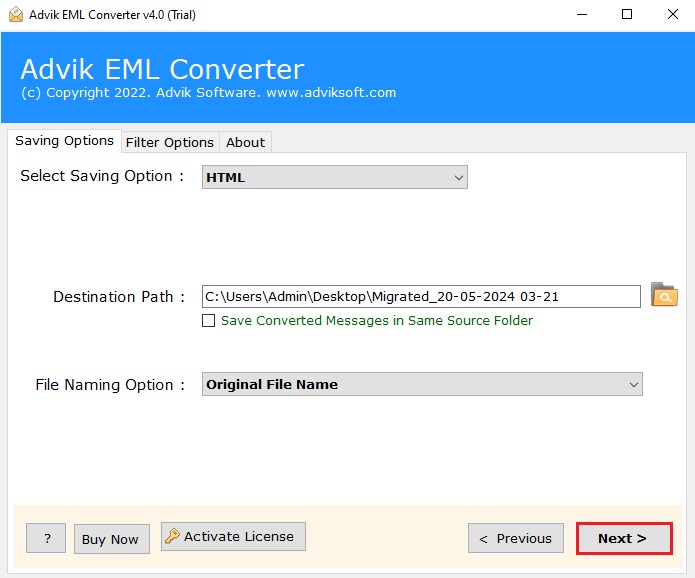
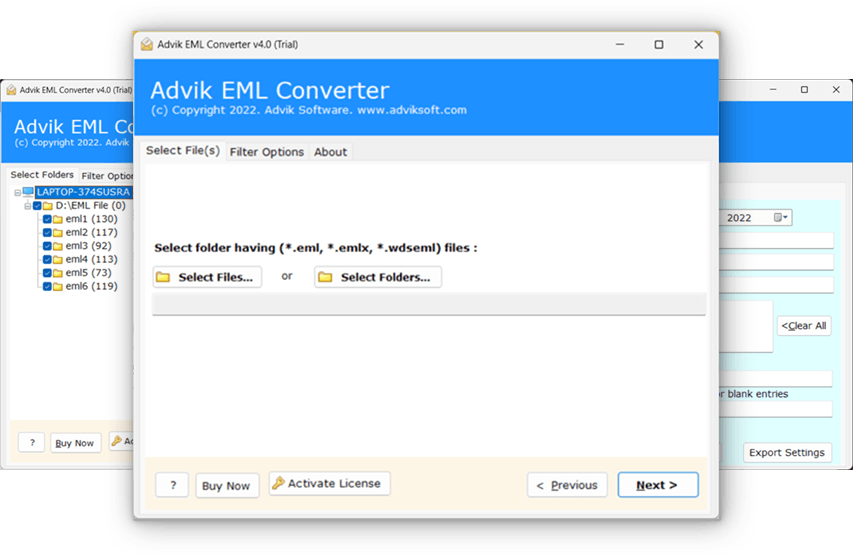
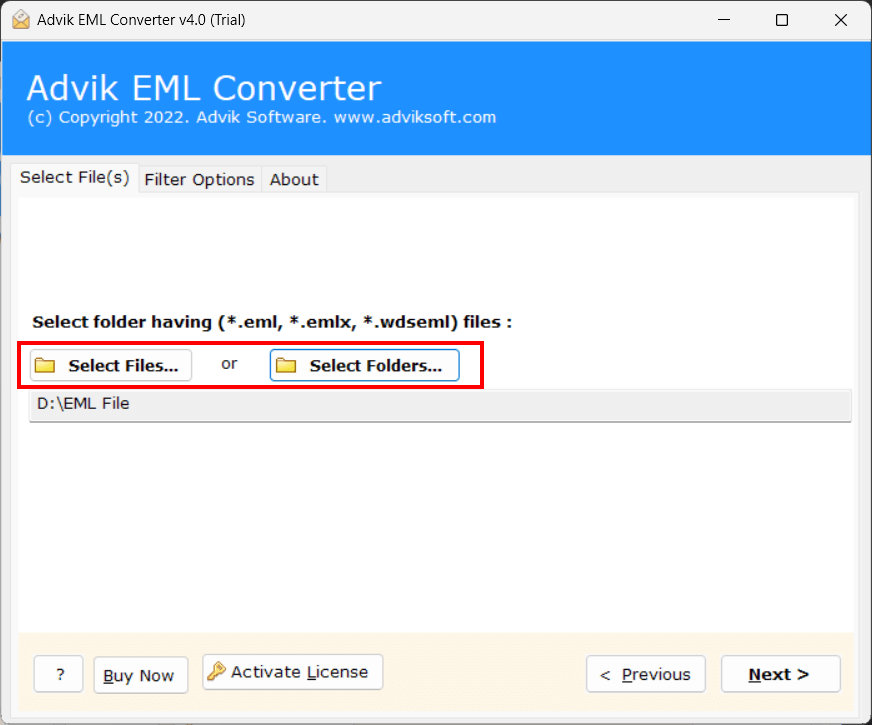
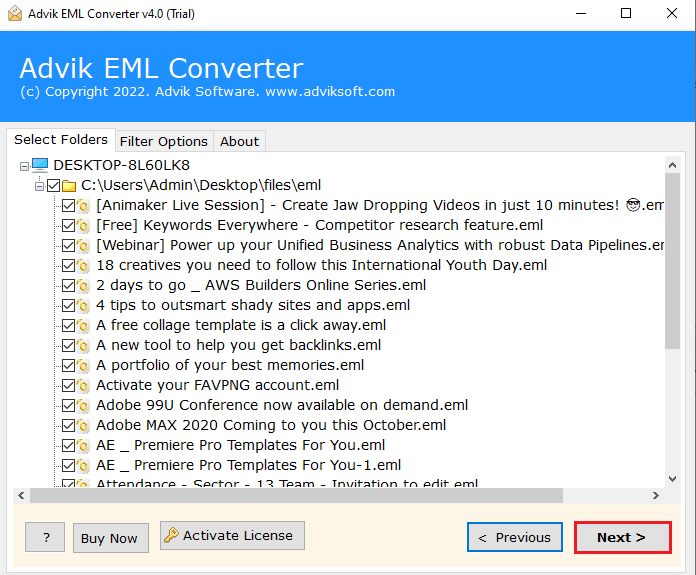
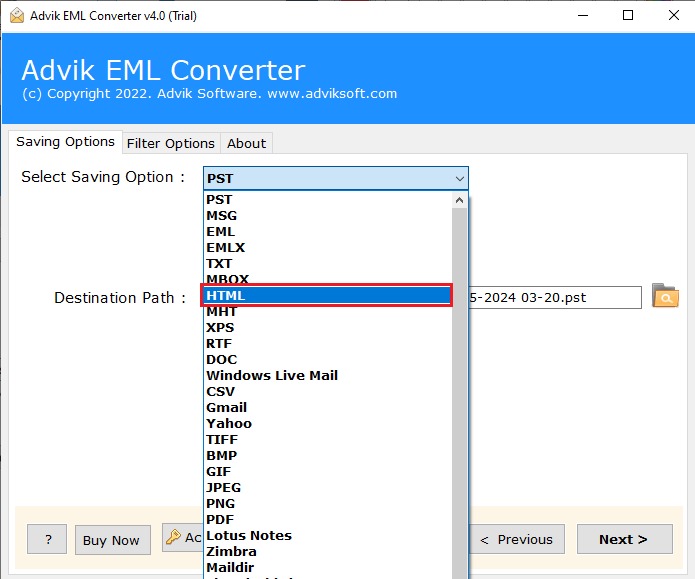
Steps to Change .eml into .html format are follows.
The software will start exporting .eml file to .html format.
Yes. The software supports batch conversion. You can add hundreds or even thousands of EML files and convert them all to HTML in one go. This saves time and avoids manual, repetitive work.
Yes. You can try the free demo version of Advik EML to HTML Converter. The trial version allows you to convert a limited number of emails so you can test the features before buying the full version.
The software supports EML files created or generated by 40+ Email clients such as MS Outlook Express, Thunderbird, Apple Mail, Indcredible, eM Client, and many more.
This option will help you to export EML files in various output variations such as Auto Increment, From + Subject + DD MM YY, Date + From + Subject, etc. You can choose as per your requirements. The basic use of this option is to export a large number of EML files into resultant HTML files with a systematic arrangement.
No. You can convert small and large EML files easily. The software handles heavy emails without any issue, so you can convert large mailboxes smoothly.
Yes. Once the email is converted into HTML format, you can open the file offline on any browser. No internet connection is needed to view your email.